Track your total financial picture and how your banking system fits within it
On this page
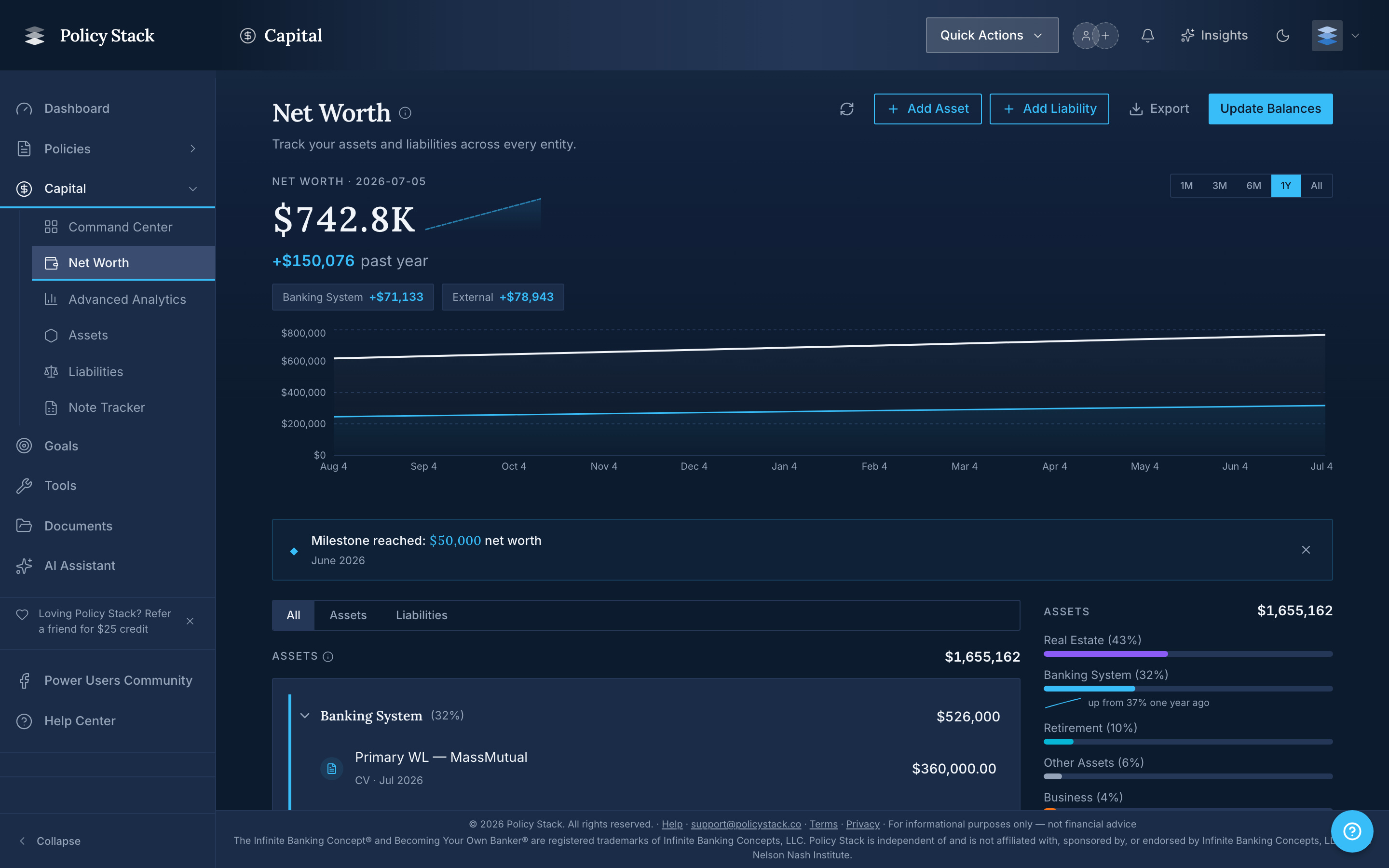
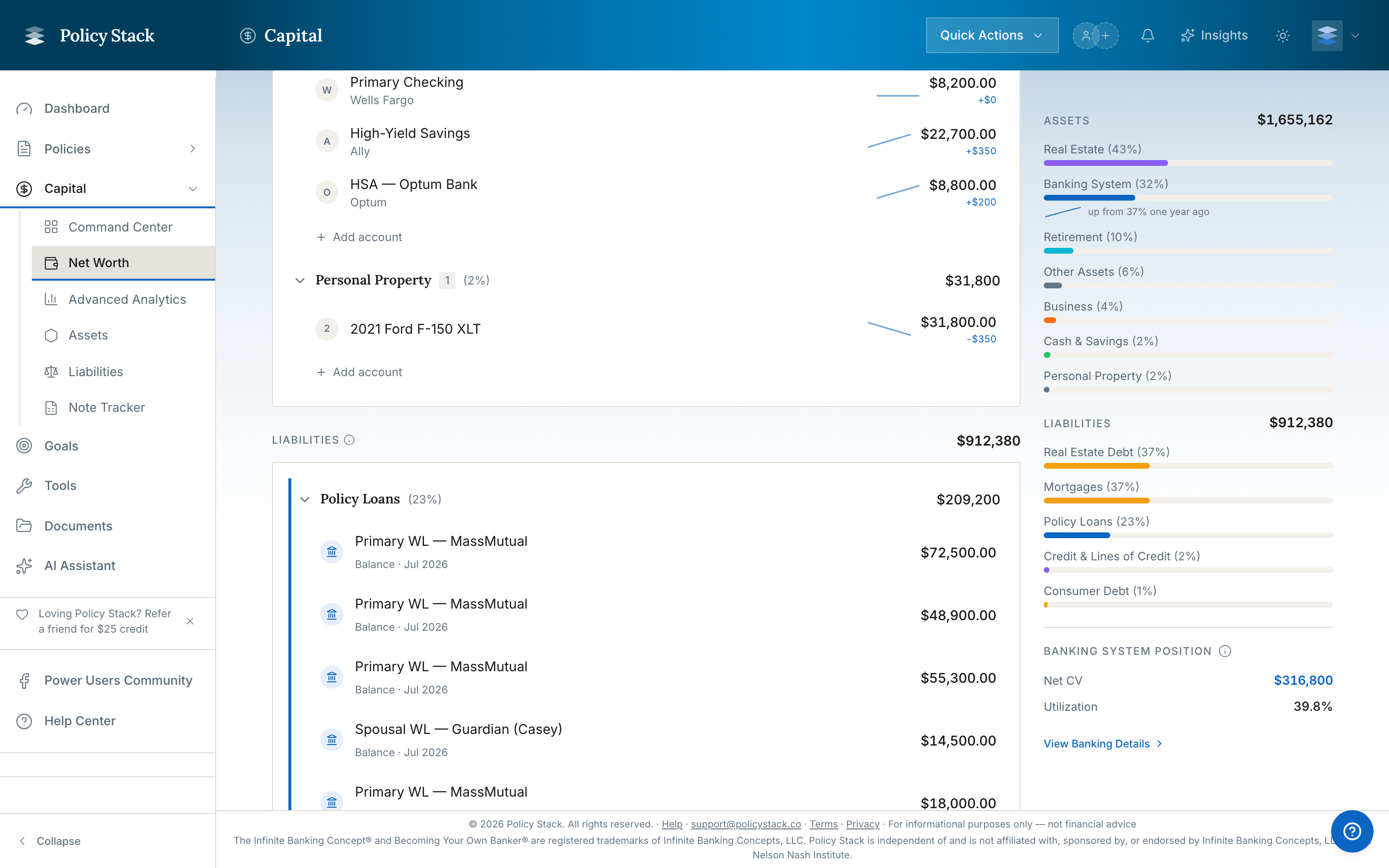
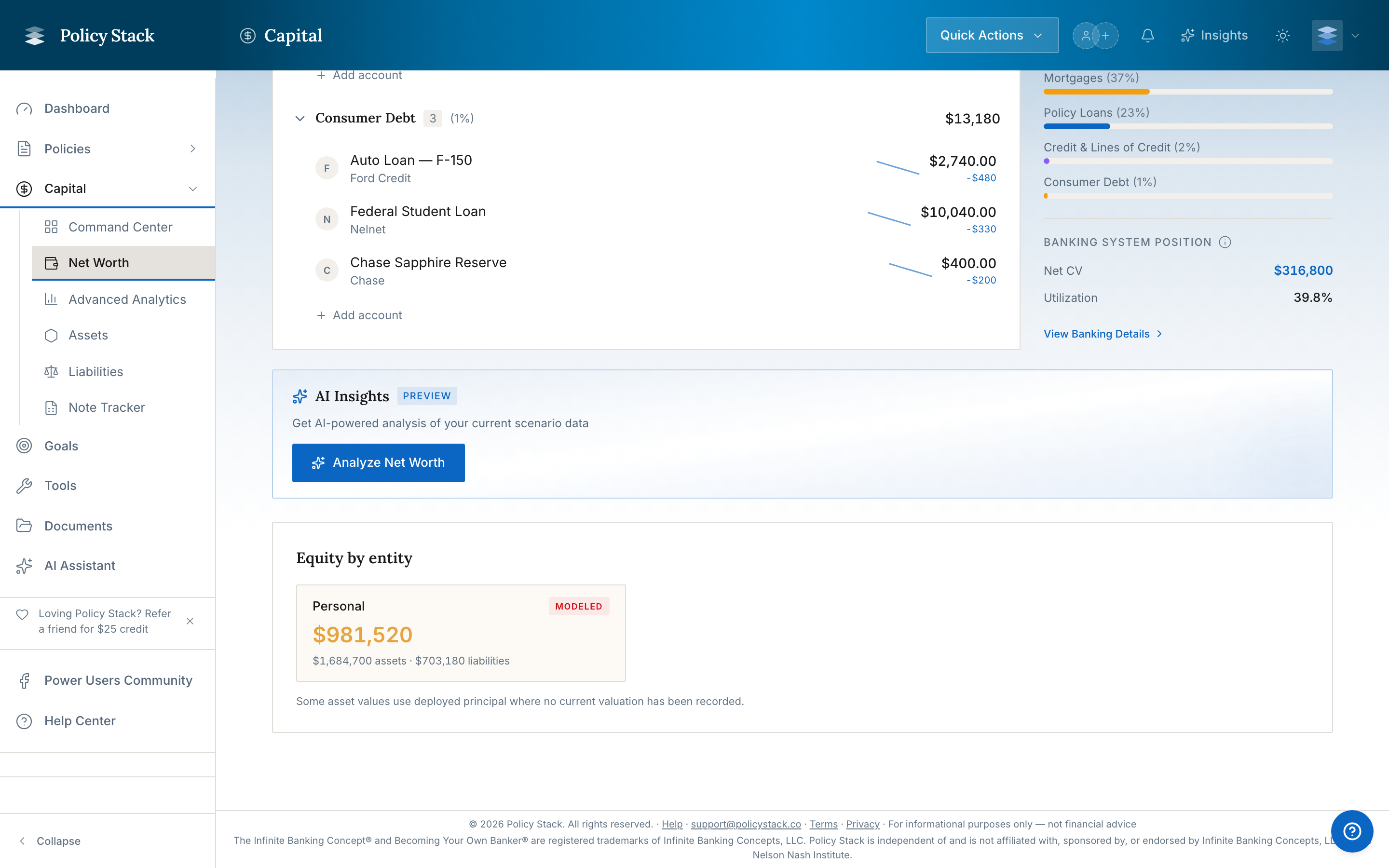
The Net Worth Tracker provides a complete view of your financial position — assets, liabilities, and where your banking system sits within the larger picture. It combines your automatically tracked policy data with external accounts you add manually.
Your main dashboard also carries a compact Net Worth zone that shows your total and a small composition/trend snapshot at a glance. It links through to this full tracker when you want the complete breakdown.
Why Use the Net Worth Tracker
Policy Stack is built around your banking system — policies, loans, deployments. But your banking system does not exist in isolation. The Net Worth Tracker answers a broader question: as your banking system grows, how does that translate into total financial position?
You can use it to:
See the banking system's percentage of your overall net worth at any point in time
Track how total net worth changes as cash value compounds and loans are repaid
Maintain a single place where your complete financial picture lives
Understand how much of your net worth is liquid, deployed, or locked in real property
How It Works
The tracker is divided into two sides: your banking system (populated automatically from your tracked data) and everything external (added by you manually).
Banking System Side — Automatic
Policy Stack pulls these values from your recorded data without any additional entry:
Item
Source
Total Cash Value
Aggregated from your most recent policy snapshots
Active Asset Balances
Sum of active assets in the Deployments section
Policy Loan Balances
Aggregated from your recorded loan data
Net banking system position = Total Cash Value + Deployment Balances − Policy Loan Balances.
External Side — Manual Entry
You add accounts and assets that live outside your banking system. The tracker organizes them into categories:
Primary residence (use your best estimate of current market value)
Investment properties
Land
Other Assets
Vehicles (current market value, not purchase price)
Business equity
Other valuables
External Liabilities
Mortgage balance(s)
Auto loans
Student loans
Credit card balances
Other consumer debt
How Net Worth Treats Mortgages and Liabilities
External liabilities reduce your total net worth the same way policy loans do. The math is straightforward:
Total Net Worth = (Banking System Assets + External Assets) − (Policy Loans + External Liabilities)
A mortgage on a rental property counts against net worth dollar-for-dollar. The property's market value sits in External Assets (or in the banking system as a deployment); the mortgage balance sits in External Liabilities. Net worth is the difference.
This applies to every external liability — primary mortgages, rental mortgages, HELOCs, auto loans, consumer debt — they all reduce the total. The Allocation sidebar on the Net Worth page shows liabilities as their own visual segment so you can see the size of the liabilities side at a glance.
Equity as the Position on Leveraged Real Estate
When a real estate asset has a linked mortgage liability, the At a glance summary on the asset detail page reads Equity — current property value minus the linked mortgage balance — rather than the undebted value. The figures behind it stay in the Property section, which carries Current Value, Equity Built, and the mortgage or HELOC balance.
This matters because for a leveraged property, the meaningful number is what's yours after the bank's claim, not the headline market value. A $500,000 property with a $350,000 mortgage contributes $150,000 of equity to your net worth, not $500,000.
Equity replaces the position only on assets that have a linked mortgage liability. Cash-purchase real estate continues to read Current value.
Cascading Balance Updates
Balance updates entered on the Net Worth page propagate to other surfaces, so the data stays consistent across the app:
Updating a banking-system item from the Net Worth page — editing a policy's cash value, a loan balance, or a deployment's value updates the underlying record. The change cascades into the asset detail page, the policy snapshot history, and the next net worth snapshot.
Updating an external account — the new balance becomes the latest_balance for that account and is captured in the next net worth snapshot for trend tracking.
Updating a linked mortgage liability — flows into the linked asset's Equity calculation immediately. The asset's At a glance position and its Property section both reflect the new number on next load.
You can edit values from either side — the asset detail page or the Net Worth page — and the other side reflects the change.
Promissory Notes Use Current Valuation, Not Original Principal
For notes you track as deployed assets, the Net Worth page uses the current valuation (modeled remaining principal from the amortization schedule) rather than the original principal you lent. A $100,000 note that has had $30,000 of principal returned contributes $70,000 to net worth, not $100,000.
This is the same figure the note's asset detail page leads with — Outstanding principal in the At a glance summary.
Adding and Updating External Accounts
Navigate to Tools — click Tools in the sidebar, then select Net Worth Tracker
Review the banking system panel — verify the automatically populated values match your expectation. If something looks off, update your snapshots or deployment records.
Click Add Account — the button appears at the bottom of the external assets or external liabilities section
Select the account type — choose from the category list (checking, brokerage, real estate, etc.)
Enter a label — give it a name you will recognize (e.g., "Chase Checking," "Vanguard Rollover IRA," "Primary Home")
Enter the current balance or value — use your best estimate for assets like real estate and vehicles
Save the account — it appears immediately in the tracker total
Update periodically — click any account to edit its balance as values change over time
Net worth snapshots are most useful when kept reasonably current. Update external account balances at least annually — quarterly if they change significantly. The banking system side updates automatically whenever you record a new policy snapshot.
Avoiding Double-Counting
The tracker is designed to prevent double-counting deployments that are already captured in the banking system side.
Example: You take a $50,000 policy loan and deploy it into a real estate investment. That $50,000 appears as an active deployment on the banking system side. Do not add $50,000 in real estate under external assets — it is already counted. Only add the property's equity above and beyond the deployed capital if relevant.
When in doubt: if a deployment is tracked in Policy Stack, it is already on the banking system side. External accounts should reflect only assets and liabilities that have no relationship to your banking system.
What the Results Show
Total Net Worth
Your complete picture: all assets (banking system + external) minus all liabilities (policy loans + external debts). This is your full Net Worth number.
Banking System Percentage
What portion of your total net worth lives inside your banking system. As your cash value grows and you repay loans, this percentage evolves. Tracking it over time shows how central your banking system has become to your total financial position.
Asset Allocation Breakdown
A visual breakdown showing how your wealth is distributed across categories — liquid assets, policies, investments, real property, deployments. This gives you a structural view of where your capital lives.
Growth Trend
A chart tracking total net worth over time as you update external account values and the banking system side updates through snapshots. Shows long-term trajectory.
The trend line stays continuous even on dates where you did not update every account. For any date without a fresh value for a given account or category, the chart carries forward your last recorded value until the next update, so a gap in one account never drops a hole into the total. Recording a value with an earlier date fills that point into the history rather than only affecting today's number.
Keeping the Data Useful
The Net Worth Tracker is only as useful as the data you put into it. A few practices that help:
Record policy snapshots regularly — this automatically updates the banking system side without any extra work in the tracker
Review after significant events — selling a property, paying off a loan, starting a new account
Policy Stack is a tracking and visualization tool. It does not provide financial advice, recommendations, or opinions on what you should do with your banking system.
Policy Stack is independent of and is not affiliated with, sponsored by, or endorsed by Infinite Banking Concepts, LLC or the Nelson Nash Institute.