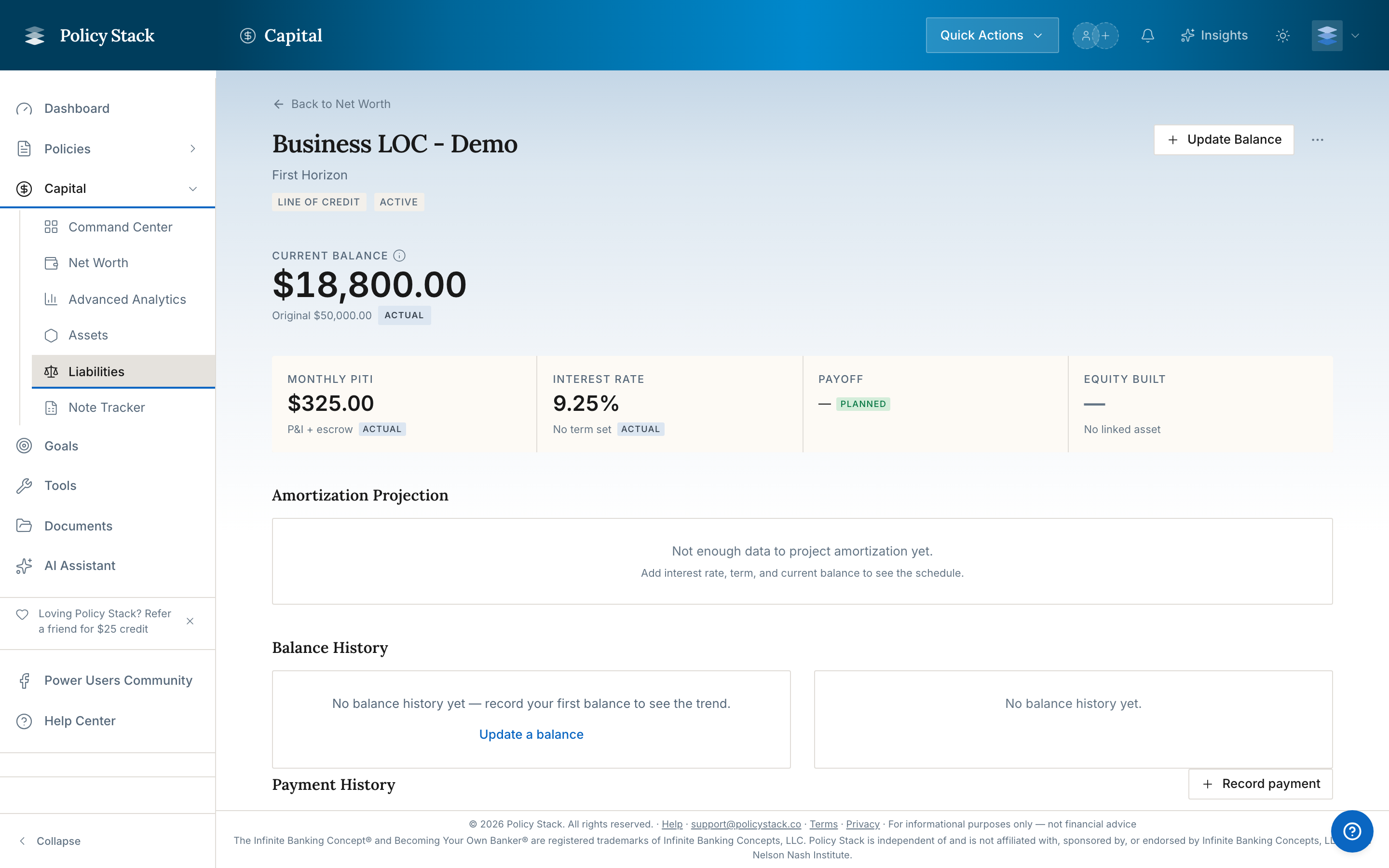
Revolving credit — HELOCs, credit cards, and lines of credit — differs from installment loans because the balance can go up and down as you draw and repay. Policy Stack tracks revolving liabilities with the fields that matter for this type: credit limit, current balance, available credit, and utilization.
Revolving vs. Installment
| | Revolving | Installment | |---|---|---| | Balance | Moves up and down | Decreases over time | | Credit limit | Fixed ceiling | Not applicable | | Available credit | Limit minus balance | Not applicable | | Examples | HELOC, credit card, line of credit | Mortgage, auto, student loan |
Key Fields
- Credit limit — the maximum you are authorized to borrow on this facility
- Current balance — what you currently owe on the facility
- Available credit — credit limit minus current balance; the amount still accessible to draw
- Utilization — current balance divided by credit limit, expressed as a percentage
Available credit is not the same as "Available CV." "Available CV" in Policy Stack refers to the available cash value inside a whole life policy (Total CV minus the outstanding policy loan balance). "Available credit" on a revolving liability is simply the unused portion of a credit facility. The two terms describe completely separate concepts.
How Drawing Affects the Numbers
When you draw on a revolving facility, the current balance increases and available credit decreases by the same amount. When you make a payment, the balance falls and available credit rises. Policy Stack stores each balance update as a point-in-time record, so the history of your revolving balance is preserved the same way policy snapshots preserve your cash value history.
The liability detail page leads with these revolving fields — credit limit, current balance, available credit, and utilization — and charts the balance over time as you record updates.

Recording Updates
To update a revolving balance, open the liability and choose Record balance. As with any liability, you can upload a lender statement for Policy Stack to extract the balance (Builder Pro) or enter it manually. Policy Stack keeps the prior value so you can see the trajectory over time, and the current balance always reflects the most recent entry. See Tracking Liabilities for the full balance-update walkthrough.